
Getting Started is as Easy as 1-2-3
① Choose Your Platform
Learn what features are available on each device and how to download our PocketBible Bible study app for FREE!
 Free PocketBible App for iPhone, iPad, and iPod touch |
 Free PocketBible App for Android |
 Free PocketBible App for Windows Phone |
PocketBible is also available for your Windows PC.
② Build Your Library
PocketBible gives you access to over 40 FREE Bibles and reference books. You can expand your library by purchasing individual books "a la carte" or choose a money-saving bundle!
Buy it Once and own it forever. Once you purchase a Bible or book from us for one device, your license allows you to install it onto any supported device you own or control.

No-risk, no-questions-asked, 30-day money-back guarantee. It's simple: Try it and if you don't like it, delete it from your device and contact technical support for a no-hassle refund.
③ Start Reading and Studying!
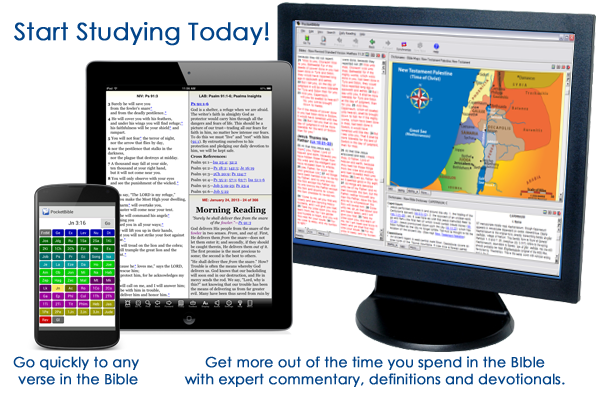
PocketBible puts the riches of God's Word at literally at your fingertips! It's FREE, it's easy to install, and it's easy to use. Use PocketBible for your daily Bible reading, for quick reference, or add commentaries, dictionaries, and other reference titles for a complete Bible study library!


Do You Already Own PocketBible, MyBible, or One of Our Other Bible Study Apps?
If you've switched to a new device, you can download PocketBible for your new device for free! Simply choose your new platform from "Step 1", above.
Log into your existing Laridian account to download books you previously purchased at no additional charge. iPhone/iPad, Android and Windows Phone users do this from within the app. PocketBible for Windows users, log into the Download page through the link at the top of this page to download your books.
If you forgot your password simply choose the Forgot Password? link at the top of this page to request it by email.
If you need help contact Technical Support through the Help Desk link at the top of the page.
What Our Customers Are Saying...
The Fine Print
Copyright © 2010-2026 by Laridian, Inc. All Rights Reserved.
Laridian and PocketBible are registered trademarks of Laridian, Inc. DailyReader, MyBible, Memorize!, PrayerPartner, eTract, BookBuilder, VerseLinker, iPocketBible, DocAnalyzer, Change the way you look at the Bible, and The Bible. Anywhere. are trademarks of Laridian, Inc. Other marks are the property of their respective owners.
About You
- You are viewing the mobile version of our website.
- You are not logged in.
- Your IP Address: 216.73.217.94
- Site IP Address: 69.167.186.191
Social Media
Like and follow us on Facebook.
Stay Informed
We announce new products via email. If you ask to be removed from any of our mailings, you will not receive these notifications. If your email address changes, make sure you change it here, too.
From time to time we post things on our blog and on Facebook.
The Fine Print
Copyright © 2010-2026 by Laridian, Inc. All Rights Reserved.
Laridian, PocketBible, and MyBible are registered trademarks of Laridian, Inc. DailyReader, Memorize!, PrayerPartner, eTract, BookBuilder, VerseLinker, iPocketBible, DocAnalyzer, Change the way you look at the Bible, and The Bible. Anywhere. are trademarks of Laridian, Inc. Other marks are the property of their respective owners.
Products by Platform
Bible Reader Software
BookBuilder Software
- BookBuilder for Windows
- BookBuilder Pro for Windows
- BookBuilder for macOS
- BookBuilder Pro for macOS
- Self-Publishing Info
About Laridian
Products by Type
Your Account
- You are not logged in.
- Your IP Address: 216.73.217.94
- Site IP Address: 69.167.186.191
- Your Account Information
- Your Order History
- Your Downloads
- Your Notes, Highlights, and Bookmarks
- Your BookBuilder Books
- Your Shopping Cart
- Register Purchase from a Store
Best Ways to Get Help
You can get the fastest help by helping yourself.
- Make sure you download and install the PocketBible app that is required to read the Bibles or books you bought
- Read the confirmation email we send you when you make a purchase
- Read the help that's built into each of our products
- Look through our Frequently Asked Questions
- Submit a Support Ticket
- Email us at support@laridian.com
Help Desk
Laridian Blog