
PocketBible® Software for Windows PC
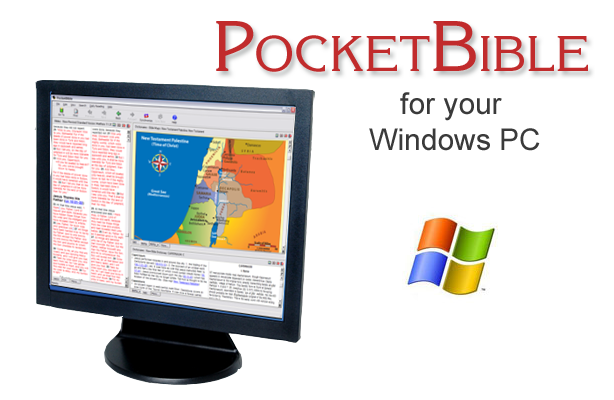
PocketBible for Windows is a full-featured Bible study solution for your Windows 7 (or earlier) PC. It also runs as a "desktop" app under newer versions of Windows.
Are you using Windows 8 or 10? Try PocketBible for Windows Store which is designed for newer Windows tablets and PCs.
Having trouble downloading books or can't find the Cloud Library app? In 2019 we updated PocketBible for Windows Desktop to include an app called Cloud Library which is used to download books. If it's been a while since you installed PocketBible, you may need to update. Download the latest version here.
PocketBible is required to use any of our Bibles or books on your Windows PC. It is available a la carte — order the free program and add your favorite Bibles and books to create a customized Bible library. Or choose one of four collections to jump-start your study and save you up to 76% over the prices when sold separately.
PocketBible Bookstore for Windows Desktop
PocketBible for Windows IS REQUIRED to view books on your Windows PC.
Select a product category to see books for your device:


Laridian is the only Bible software publisher that makes the same book-creation tools available to the public that we use in-house to create books for PocketBible! Create books for your own use, or publish and sell your books on your own website with no royalties or additional fees paid to Laridian.
What Our Customers Are Saying...
The Fine Print
Copyright © 2010-2026 by Laridian, Inc. All Rights Reserved.
Laridian and PocketBible are registered trademarks of Laridian, Inc. DailyReader, MyBible, Memorize!, PrayerPartner, eTract, BookBuilder, VerseLinker, iPocketBible, DocAnalyzer, Change the way you look at the Bible, and The Bible. Anywhere. are trademarks of Laridian, Inc. Other marks are the property of their respective owners.
About You
- You are viewing the mobile version of our website.
- You are not logged in.
- Your IP Address: 216.73.216.103
- Site IP Address: 69.167.186.191
- Default Platform: Windows Desktop
Social Media
Like and follow us on Facebook.
Stay Informed
We announce new products via email. If you ask to be removed from any of our mailings, you will not receive these notifications. If your email address changes, make sure you change it here, too.
From time to time we post things on our blog and on Facebook.
The Fine Print
Copyright © 2010-2026 by Laridian, Inc. All Rights Reserved.
Laridian, PocketBible, and MyBible are registered trademarks of Laridian, Inc. DailyReader, Memorize!, PrayerPartner, eTract, BookBuilder, VerseLinker, iPocketBible, DocAnalyzer, Change the way you look at the Bible, and The Bible. Anywhere. are trademarks of Laridian, Inc. Other marks are the property of their respective owners.
Products by Platform
Bible Reader Software
BookBuilder Software
- BookBuilder for Windows
- BookBuilder Pro for Windows
- BookBuilder for macOS
- BookBuilder Pro for macOS
- Self-Publishing Info
About Laridian
Products by Type
Your Account
- You are not logged in.
- Your IP Address: 216.73.216.103
- Site IP Address: 69.167.186.191
- Default Platform: Windows Desktop
- Your Account Information
- Your Order History
- Your Downloads
- Your Notes, Highlights, and Bookmarks
- Your BookBuilder Books
- Your Shopping Cart
- Register Purchase from a Store
Best Ways to Get Help
You can get the fastest help by helping yourself.
- Make sure you download and install the PocketBible app that is required to read the Bibles or books you bought
- Read the confirmation email we send you when you make a purchase
- Read the help that's built into each of our products
- Look through our Frequently Asked Questions
- Submit a Support Ticket
- Email us at support@laridian.com
Help Desk
Laridian Blog